How to Plan Music Video Visuals for a Song With a Big Emotional Shift Using Donna AI
Plan a music video around your song’s emotional shift with practical tips for color, pacing, setting, camera style, and Donna AI tools.
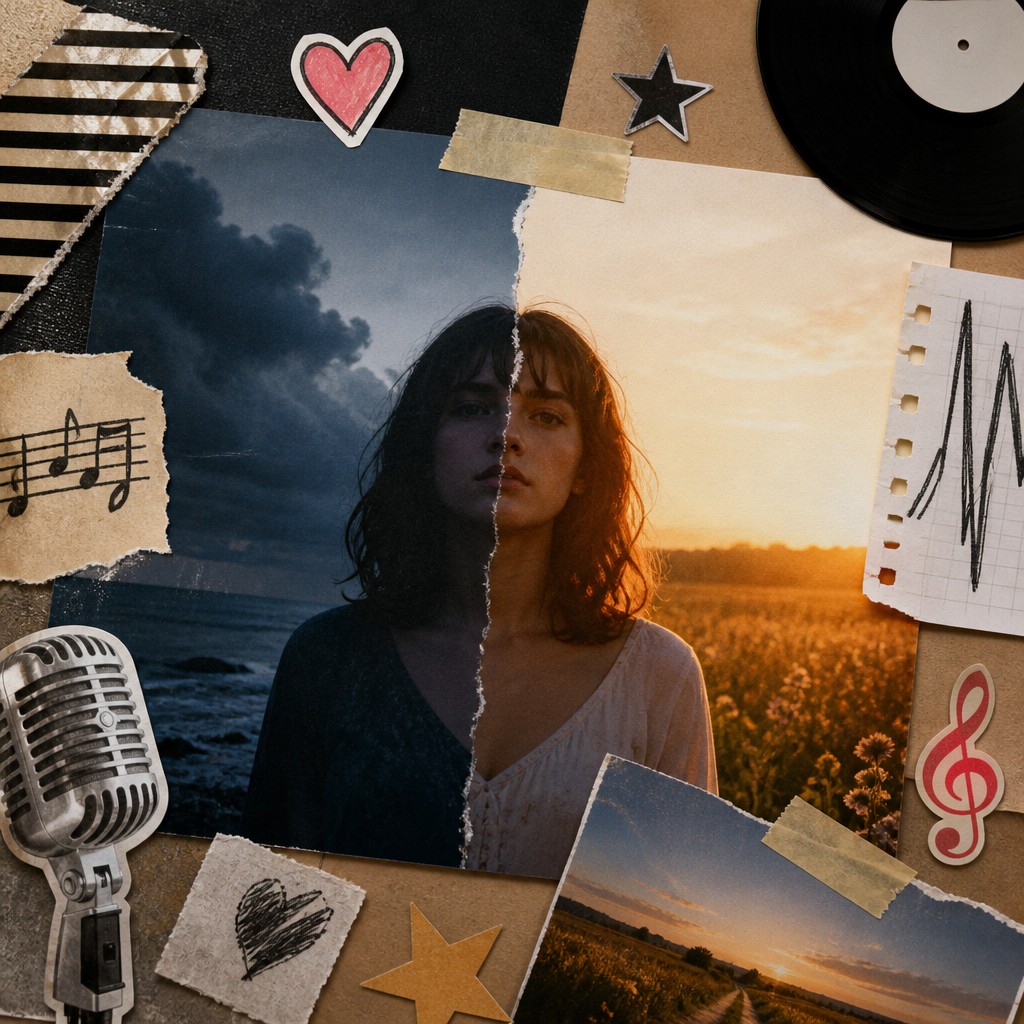
A song that moves from heartbreak to hope, quiet reflection to explosive energy, or intimacy to intensity already has the foundation for a compelling visual story. The challenge is making that change feel clear on screen without simply illustrating every lyric. A thoughtful plan can help the visuals evolve with the music, giving the audience a reason to stay engaged and making the emotional payoff feel earned.
Donna AI offers tools for developing music and visual ideas, including song generation, AI Music Video, Image to Song, AI Cover, Extend, and stem separation. Whether you are building a track from scratch or shaping a video for a finished song, start with the emotional journey. The tools can support the process, but a clear creative direction is what makes the result feel cohesive.
1. Find the emotional turning point
Listen to the song several times and note where its emotional center changes. The turning point might arrive with a lyric, a new instrument, a change in vocal delivery, or a shift in the arrangement. It does not always happen at the chorus. Sometimes a pause or a single line carries more weight than the loudest section.
Write down what the song feels like before and after that moment. Keep the descriptions specific: “guarded and lonely” can lead to “tentative but open,” while “restless and tense” might become “confident and released.” These phrases give you a practical guide for the visual transition.
Make a simple emotional map
Divide the song into sections and describe the feeling and visual energy of each one. For example:
- Opening: private, still, and emotionally distant.
- First verse: small movements and close framing introduce the character.
- Turning point: a visual or musical cue signals the change.
- Final chorus: wider compositions and more movement express release.
- Outro: a final image gives the ending room to resonate.
This map does not need to dictate every shot. Its purpose is to keep the video’s progression connected to the song.
2. Let color change with the feeling
Color can communicate a shift before the viewer consciously notices it. A restrained palette of cool blues, muted neutrals, or low-saturation tones may suit a song’s isolated opening. As the emotion opens up, introduce warmer light, more natural color, or a brighter accent. For a move from calm to chaos, the palette might become sharper and more contrasted instead.
Avoid changing everything at once unless the song calls for a dramatic break. A gradual change in light or color can make the transition feel organic. You can also carry one color through the entire video as a visual thread, allowing its meaning to evolve alongside the story.
3. Match pacing and camera style to the arrangement
Editing rhythm is part of the storytelling. In a quiet section, longer shots, slow camera movement, and deliberate pauses can help viewers feel close to the subject. As drums, vocals, or instrumentation become more forceful, tighter edits and more active framing can increase momentum.
The contrast matters. If the video moves quickly from the first second, there may be nowhere for the energy to grow. Give the opening space, then reserve the strongest visual movement for the song’s most important change. A sudden still shot after a run of fast cuts can be just as powerful as a dramatic camera move.
4. Use setting and performance to show the shift
Choose locations that support the emotional arc. A confined interior might suggest memory, pressure, or isolation; an open landscape can imply possibility, distance, or freedom. The setting does not have to change at the turning point. A familiar place can feel completely different when the lighting, blocking, and performance change.
Think about what the performer does as well as where they are. A lowered gaze, a turned back, or a held pose can communicate emotional restraint. Later, a direct look into the camera or movement toward the frame may suggest connection and agency. Small, deliberate changes often feel more believable than exaggerated acting.
5. Use Donna AI to explore and refine ideas
Donna AI’s features can fit different stages of the creative process. Song generation can help develop a musical starting point, while Extend can support work on a track that needs to continue beyond its current structure. If you begin with an image or visual concept, Image to Song can help connect that inspiration to music. AI Cover can help explore a different presentation of a song, and stem separation can give creators more control when working with individual musical elements.
For visual development, AI Music Video can help turn a planned direction into a video concept. Before generating or assembling scenes, prepare a short brief that identifies the emotional starting point, the turning point, the visual palette, and the pace of each section. Clear instructions make it easier to judge whether a result supports the song rather than distracting from it.
6. Review the video as one complete journey
Watch the video from beginning to end with the audio. Ask whether the emotional shift is visible, whether the turning point arrives at the right moment, and whether the final section feels like a meaningful development rather than a collection of unrelated images. Check that visual changes support the music without competing with important lyrics or musical details.
A strong music video does not need a complicated plot. It needs a clear emotional direction and a few well-chosen visual decisions. Identify the song’s turning point, build contrast through color and pacing, and use setting and performance to make the change tangible. With a plan in place, Donna AI tools can help creators experiment faster and shape a more coherent, shareable visual story.
Ready to create your own song?
Turn any idea into a full track with Donna's AI music generator — in minutes, no experience needed.
Try Donna Now
